 Moonkale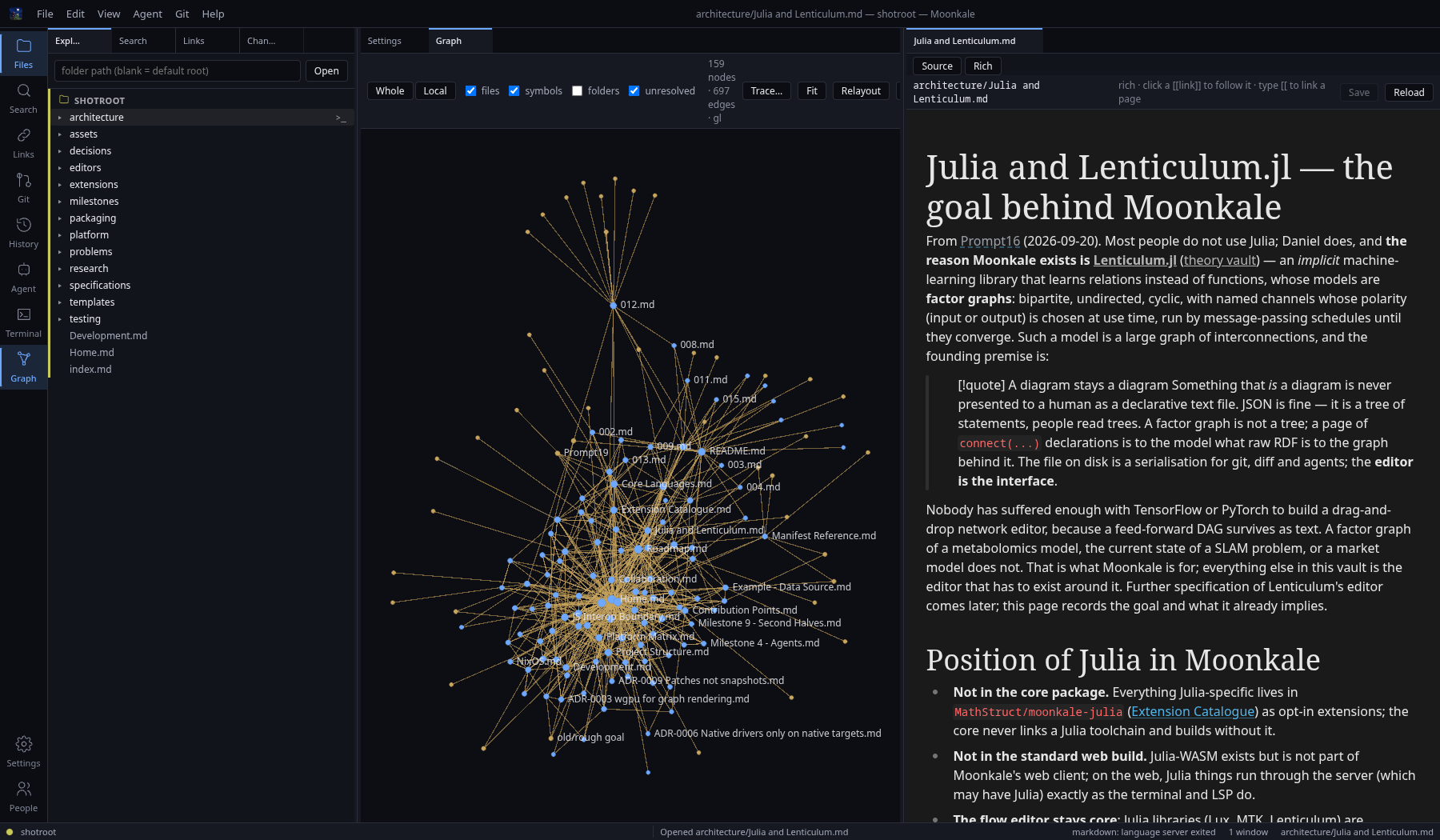
Moonkale is a graph-native code and knowledge editor: it opens folders and database connections, shows everything as one graph, and is driven by extensions. This vault is the design record. Every choice has a note; every problem hit during implementation gets logged in Problem Log.
New here?
Getting Started — Moonkale for people who use VS Code and Obsidian: the four ideas, what maps to what, a ten-minute first session. Then Install.
Start here (the design record)
- Status — what is built today, area by area, and what is not.
- Overview — what the system is, in one diagram.
- Project Structure — the crate layout and why each crate exists.
- Roadmap and Milestone 18 - Library Refactor — what comes next.
- Writing an Extension — the guide, because this project is extension-driven.
How this vault is kept
- Status lives in one place: Status. Other pages link to it instead of repeating it.
- Design notes say at the top what is built and what is design only; when the code and a note disagree, the code wins and the note is fixed.
- Records are append-only: milestone plans and logs, the Problem Log (
P-nnn), specifications (Daniel’s, edited in place when done), andprompts/(not published).- Implementation detail of a crate lives next to it in
packages/**/<crate>.md; the vault links there rather than copying it.
Vault
The Obsidian vault root is the repo root (
Moonkale/.obsidian); these notes live inmarkdown/. Installed plugins: Excalidraw, inline-tikz, wypst (Typst), tabs, document-comments. Diagrams here use Mermaid (core); Excalidraw/TikZ are available for richer ones.
Architecture
- Overview
- Why Not a Plugin or Electron — why not a VS Code/Obsidian plugin, why Dioxus rather than Electron, and what Moonkale weighs (measured: ~80 MB private for the Rust side with a repo indexed, ~240 MB for the webview)
- Project Structure — rationale for
packages/ - Platform Matrix — desktop / web / mobile: what runs where
- Graph-Native Model — nodes, edges, sources, views
- Data Sources — SQL, graph, KV, folders
- Publishing Sources — reader mode of the web server (queryable SQL/graph/search for visitors), not a static site; plots later (decision)
- Julia and Lenticulum — the goal behind Moonkale: a factor-graph editor where a diagram stays a diagram; Julia outside the core
- Extension Catalogue — every extension, tiers, platform fit, core vs separate repo, critique
- Claude Code Extension — Moonkale as Claude Code’s IDE + Claude Code as an agent, no API key (plan)
- Markdown Diagrams and Math — Typst math (Rust), TikZ (desktop extension), Mermaid, tabs via one fence-renderer mechanism (design)
- Remote and Server Modes — SSH remote folders (Zed), a Moonkale server (code-server), a shared server; the security of each
- Notebook Editor —
.ipynbviewer/editor with no new deps, kernels behind a feature (plan) - Annotations — comments anchored to files/rows/nodes, GitHub issues as the same thing (plan)
- Case Selector — backend by size: rich/plain/viewer text, exact/approximate/coarse graph (design)
- Unicode Input —
\int→ ∫ everywhere (design) - Core Languages — the languages Moonkale ships core extensions for, and where each stands
- Projects and Sources — several sources per saved project, selector, sync (desired behaviour)
- Internal State — every file Moonkale writes for itself today, and the one store it should become (design)
- Security — the trust model in one page: token, secrets, jail, policy gate, extension permissions, SSH
- Indexing — tree-sitter, links, embeddings
- Extension System
- JS Interop Boundary — CodeMirror / Milkdown / xterm, kept replaceable
- JavaScript Inventory — where JS still is, distance to zero, node/deno/bun
- LLM and RAG
- Agent Sessions and Profiles — saved agents, sessions side by side, history, Claude Code login (Milestone 15)
- LSP and Terminal
- Debugging and Logging — where output goes on each platform, and in compiled builds
- Version Management — git for files, an append-only UUID+timestamp entity log for the graph
- Collaboration — session bus (multi-window today) → presence/cursors → server hub → shared editing
Platform
- Platform Matrix · Linux Desktop Setup — WebKitGTK, NVIDIA, WebGPU: what to change and why · Core Languages · Licensing
Packaging
- Feedback — where a bug, a feature request, a suggestion, a design flaw or a plea for help goes, and what happens to it
- Two Binaries —
moonkale(the app) andmoonkale-server(the server + its browser client), and when you want the second - Install — pacman, apt, nix, tarball; unsigned Windows/macOS builds (Milestone 13)
- Packaging Overview — what
dx buildproduces and where the binary looks for assets - Licensing — Moonkale is MIT; what a built Moonkale additionally carries (DuckDB, wasmtime, Typst, ICU4X, KaTeX fonts …) and how to list it
- Arch Linux (PKGBUILD) · NixOS (flake) · Android (APK/AAB) · Android Extensions and Bundling (what can be added after install, app size, Play/F-Droid)
Testing
Editors (“windows”)
- Code Editor · Code Editor Implementations · Markdown and Typst Editor · Table Editor · Graph View · Flow Editor · Terminal
Extensions
- Writing an Extension · Contribution Points · Manifest Reference · Host API Reference · Publishing and Platforms
- Examples: Example - Hello Panel · Example - Data Source · Example - Language
Decisions (ADRs)
- ADR-0001 Dioxus instead of Lumino and Tauri
- ADR-0002 Rust first, TypeScript behind traits
- ADR-0003 wgpu for graph rendering
- ADR-0004 WASM components for extensions
- ADR-0005 Server functions as the remote backend
- ADR-0006 Native drivers only on native targets
- ADR-0007 Typst via the native crate
- ADR-0008 Rust owns the document, JS is a view
- ADR-0009 Patches not snapshots
- ADR-0010 dioxus-workbench for layout
- ADR-0011 Desktop graph surface strategy — plan A (in-webview canvas) in use; the native overlay stays a fallback
- ADR-0012 Two histories — accepted: git for text, entity log for the graph, checkpoints between them
- ADR-0013 JSON ABI before components — accepted: what the wasm runtime actually is (amends ADR-0004)
- ADR-0014 One store for internal state — accepted: SQLite for all state except secrets, synced later
Milestones
- Milestone 1 - Walking Skeleton (plan) → Milestone 1 - Implementation Log (what happened) ✅
- Milestone 2 - Graph Appears (plan) → Milestone 2 - Implementation Log (what happened) ✅
- Milestone 3 - Databases and Tools (plan) → Milestone 3 - Implementation Log (what happened) ✅
- Milestone 4 - Agents (plan) → Milestone 4 - Implementation Log (what happened) ✅
- Milestone 5 - Settings and Writing (plan) → Milestone 5 - Implementation Log (what happened) ✅
- Milestone 6 - Scale and Extend (plan) → Milestone 6 - Implementation Log (what happened) ✅
- Milestone 7 - Daily Driver (plan) → Milestone 7 - Implementation Log (what happened) ✅
- Milestone 8 - Research (plan) → Milestone 8 - Implementation Log (what happened) ✅
- Milestone 9 - Second Halves (plan) → Milestone 9 - Implementation Log (what happened) ✅ — incl. the first Android build on a phone
- Milestone 10 - Daily Use — the specifications as the backlog: 001–019 done ✅
- Milestone 11 - Remote (plan) → Milestone 11 - Implementation Log (what happened) ✅ — remote folders over SSH, the desktop as a client of a server, TLS
- Milestone 12 - Agents and a Native Terminal (plan) → Milestone 12 - Implementation Log (what happened) ✅ — Claude Code as a provider, server-side agent sessions, Connect to Server on the phone, the Rust terminal, the Extensions activity
- Milestone 13 - Packaging (plan) → Milestone 13 - Implementation Log (what happened) ✅ — pacman/apt/nix/tarball packages, the release workflow, extension settings with the extension
- Milestone 14 - Rust Code Editor (plan) → Milestone 14 - Implementation Log (what happened) ✅ — the dioxus-code-editor extension, switching editors, the caret’s word
- Milestone 15 - Agents, Profiles and Connections (plan) → Milestone 15 - Implementation Log (what happened) ✅ — saved agents, sessions side by side with history, saved SSH connections, Claude Code login
- Milestone 16 - Sources Follow the Disk (plan) → Milestone 16 - Implementation Log (what happened) ✅ — Sources follow changes on disk (↻ for the rest), the Local graph laid out on its own, no
<br />from the rich editor, tabs dragged by touch - Milestone 17 - Embedded Stores (plan) → Milestone 17 - Implementation Log (what happened) ✅ — Turso, redb, RocksDB and embedded HelixDB as read-only sources; LadybugDB’s bundled symbols made local (P-144)
- Milestone 18 - Library Refactor (plan) → Milestone 18 - Implementation Log — a small core, the
Workspaceas services, the catalogue out of the shell, source openers and server contributions, one store for internal state; phase 0 (CI, layering rules) done
Planning, problems and records
- Status — what is built, area by area (the one status page)
- Roadmap — what comes next and in which order; the milestones so far
- Problem Ranking — the anticipated hard problems
R-01 … R-41, with where each stands - Problem Log — problems hit while building,
P-nnn; use Problem Template - Audit 2026-09-23 — the twenty GitHub issues from the external audit
- Specifications — small numbered requests and bugs (
markdown/specifications/NNN.md), edited in place when done
Research
- State Store Comparison — five engines for Moonkale’s own state, measured (2026-10-02) · Database Backends · Graph Rendering Options · Rust-native Editor Candidates · WASM Extension Runtimes · Versioning Prior Art · dioxus-flow
Contributing
- Development — build, run, test, and how this vault becomes the website
History
- Tauri era) · the working prompts behind each design session live in
prompts/(kept in the vault, not published)